Visual tour
Every screenshot below is the real demo (just demo) with the feature
toggled on. The red boxes are the author's own callouts — each section
explains what the marked control does and links the API behind it.
The whole board
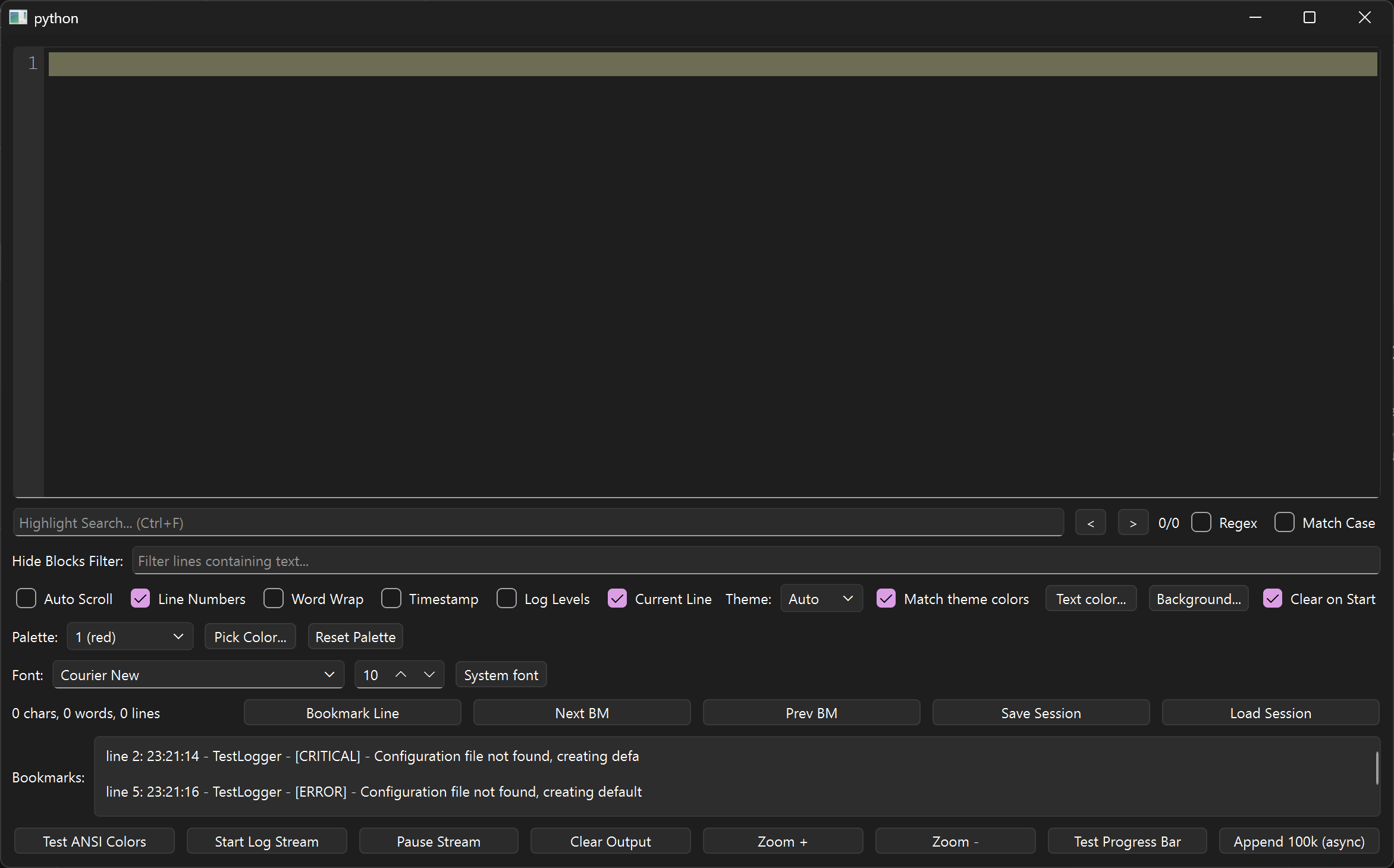
One window, six zones: the log view with gutter on top, search and filter bars beneath it, option checkboxes, palette and font rows, the stats/bookmark/session strip, and the action buttons at the bottom. Start here to orient yourself, then follow the tour in order.
ANSI colors, isolated per line
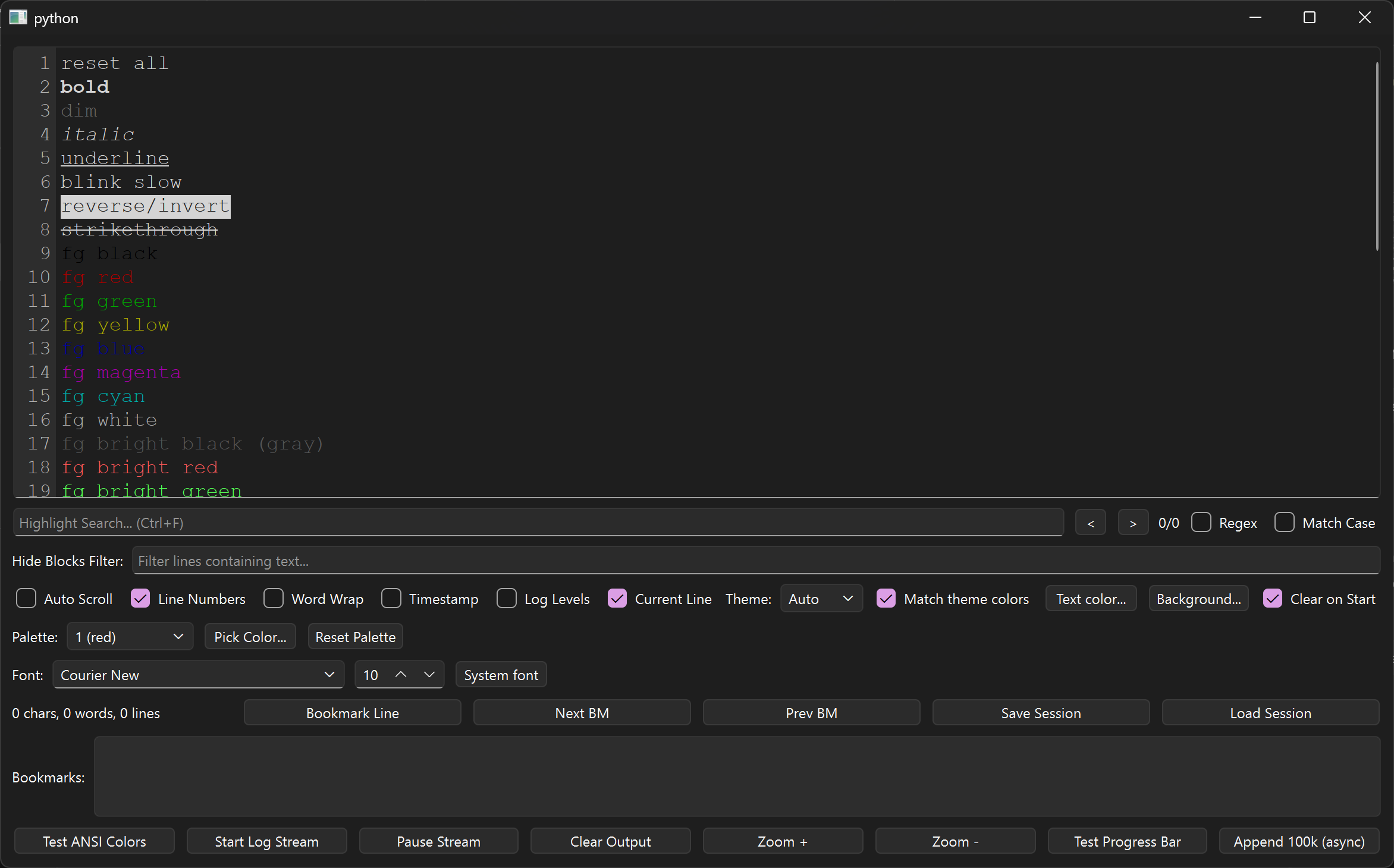
Test ANSI Colors prints every style and color, each terminated so styles
never bleed into the next line — compare bold, dim, italic, underline,
reverse-video, strikethrough, the 8 standard and 8 bright foregrounds, and
256-color plus true-color RGB samples. See
Appending.
Streaming, line numbers, progress bars
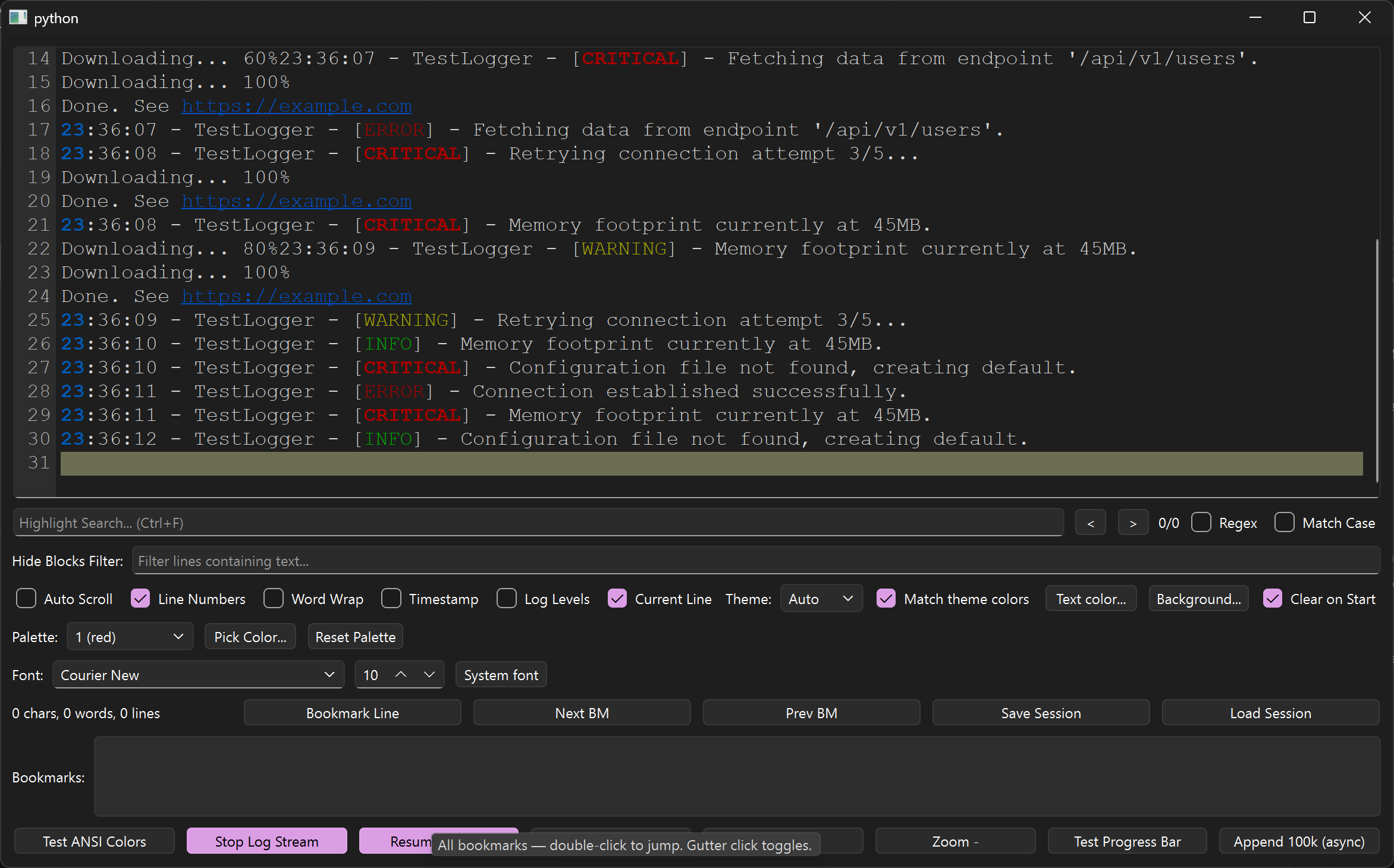
Start Log Stream tails synthetic logs while Downloading... 60% →
100% lines overwrite in place via carriage returns. Blue underlined
https://example.com links open on Ctrl + click; the olive bar is the
current-line highlight. See Appending
and Links.
Search: matches, query, counter
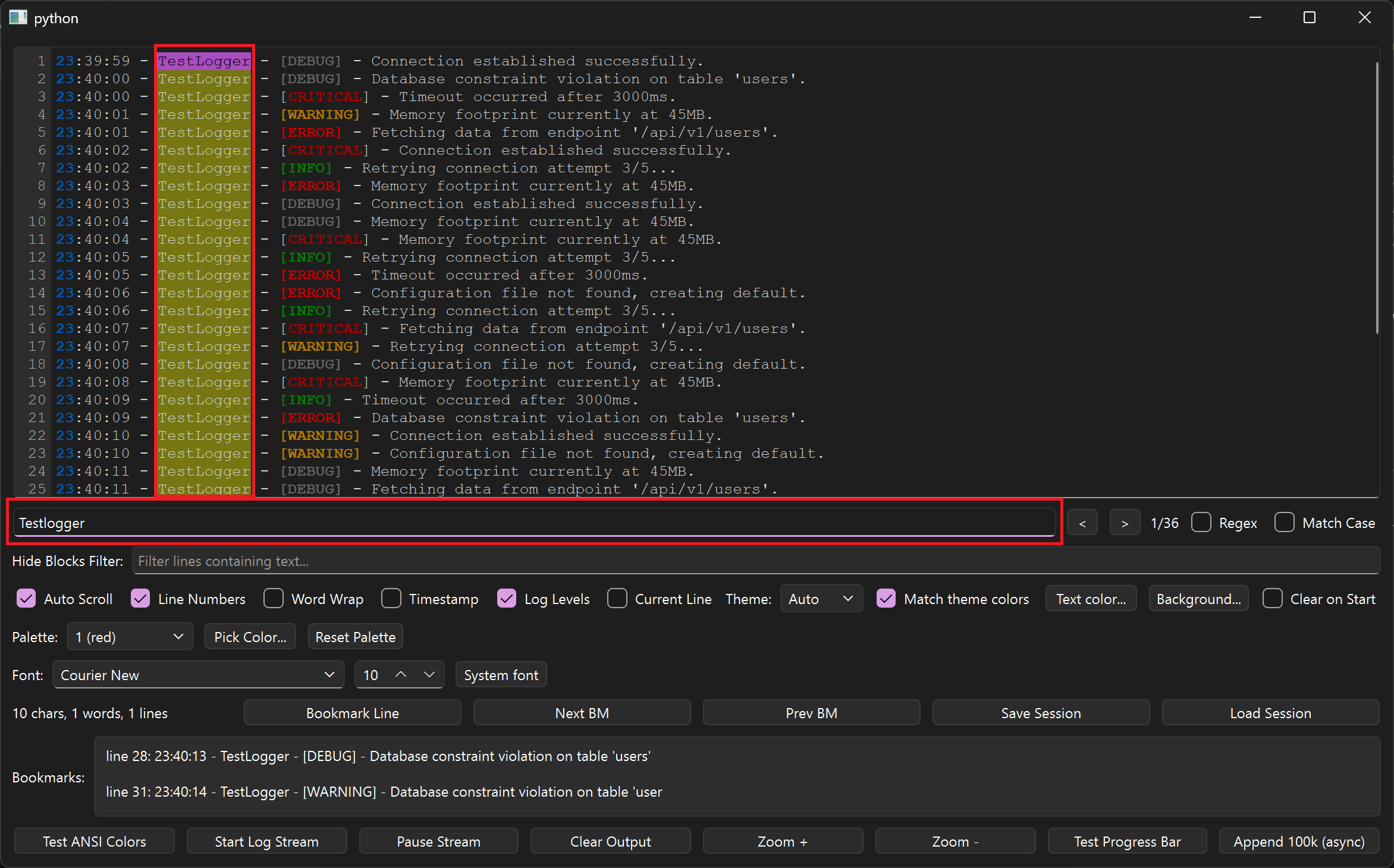
Typing Testlogger lights up all 36 matches in yellow (active one in
orange) — the red boxes mark the match column, the query field, and the
1/36 counter with < > steppers beside the Regex and Match Case
toggles. See Search & filter.
Bookmarks: line and list
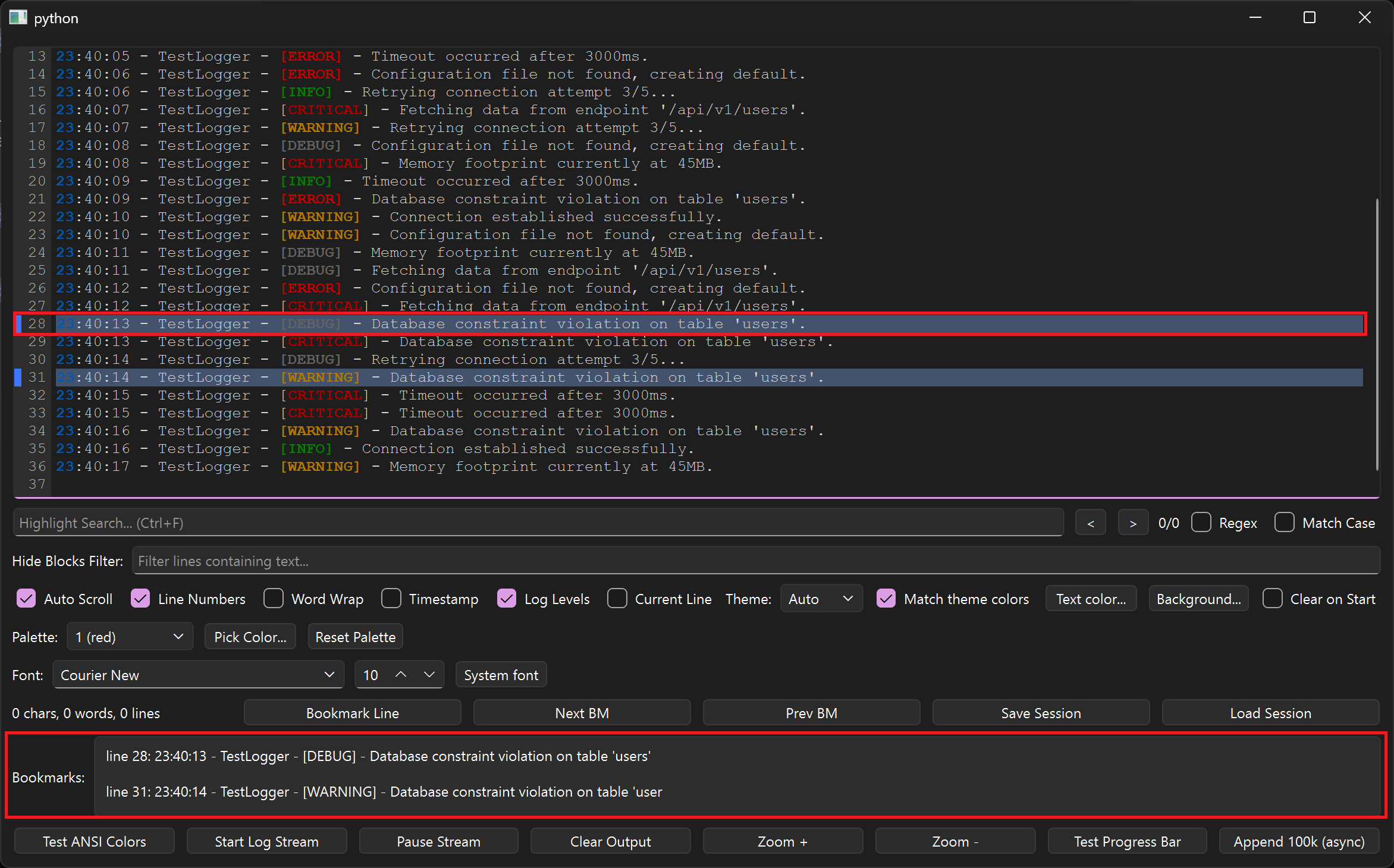
Line 28 glows blue and appears as line 28: … in the bottom list — the two
red boxes. Toggle with the button, by clicking the gutter, or from the
right-click menu; Next BM / Prev BM wrap around and skip filtered-out
lines. See Bookmarks.
Right-click menu
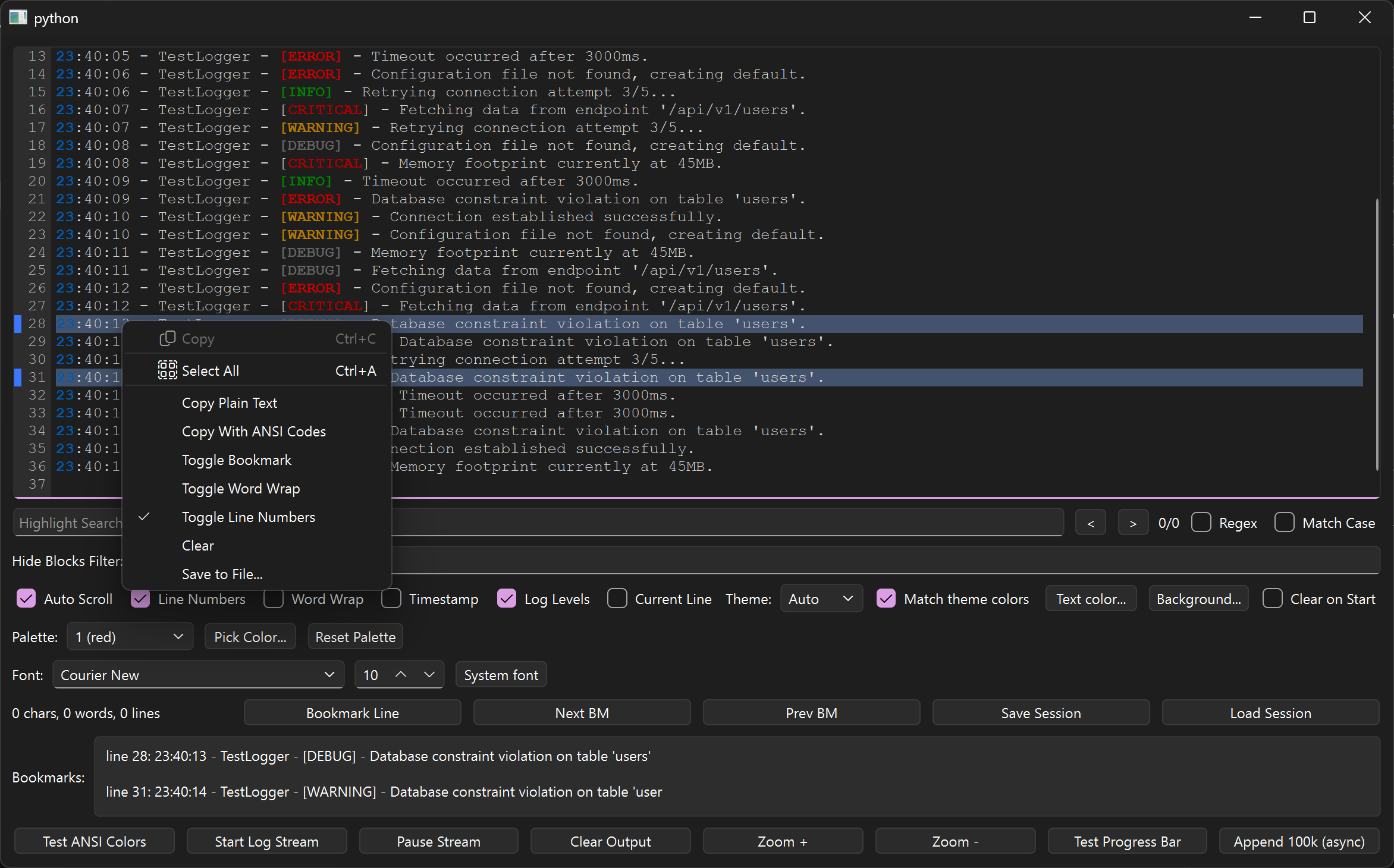
Copy, Select All, Copy Plain Text, Copy With ANSI Codes (SGR sequences reconstructed from the real formats), Toggle Bookmark, Toggle Word Wrap, Toggle Line Numbers, Clear, and Save to File. See Copy, export, sessions.
Selection statistics
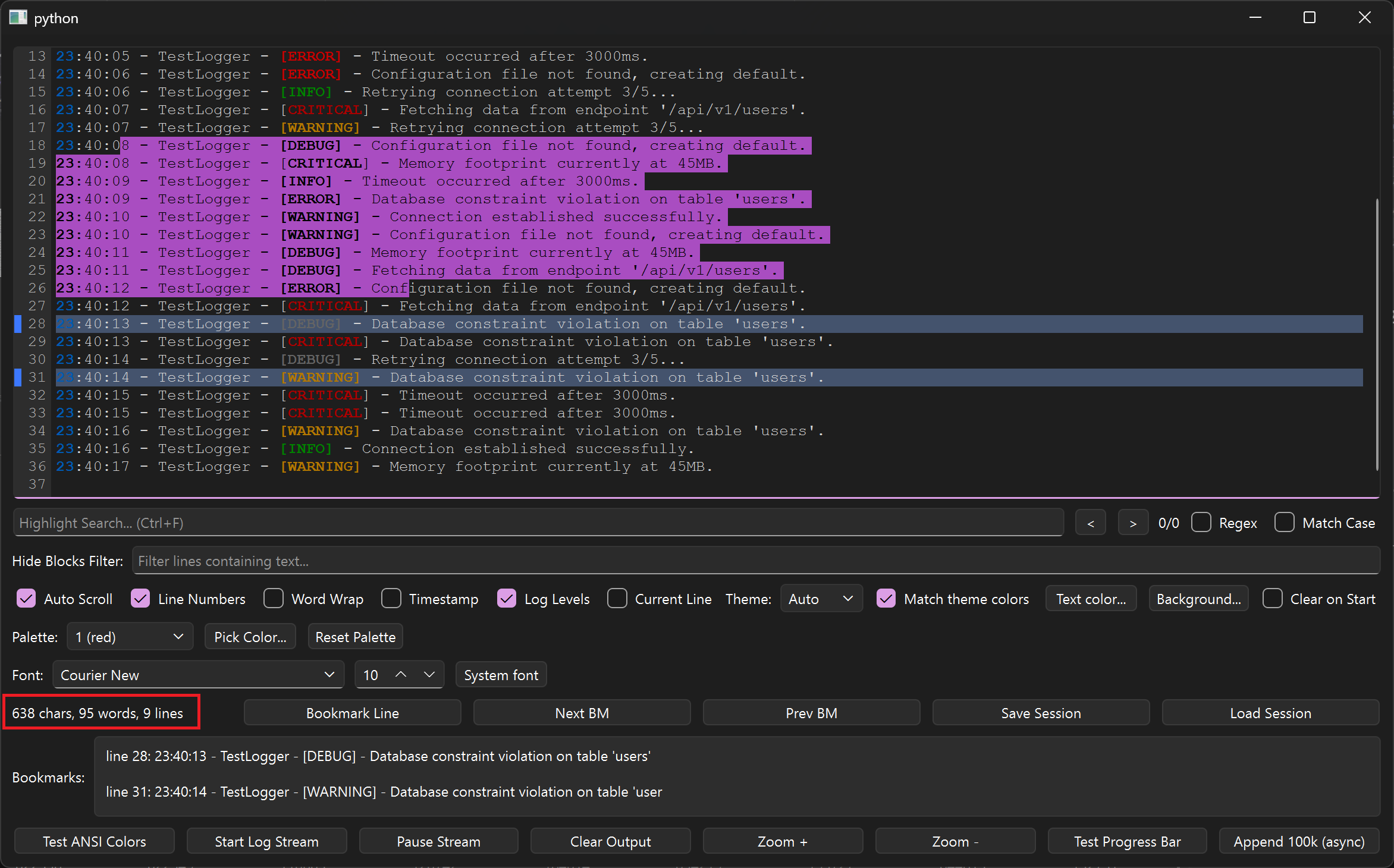
Dragging across lines paints the purple selection and the red-boxed label
reports 638 chars, 95 words, 9 lines live via selectionStats(). Behind
it you can also see bookmarked lines 28 and 31 in blue. See
Copy, export, sessions.
System fonts
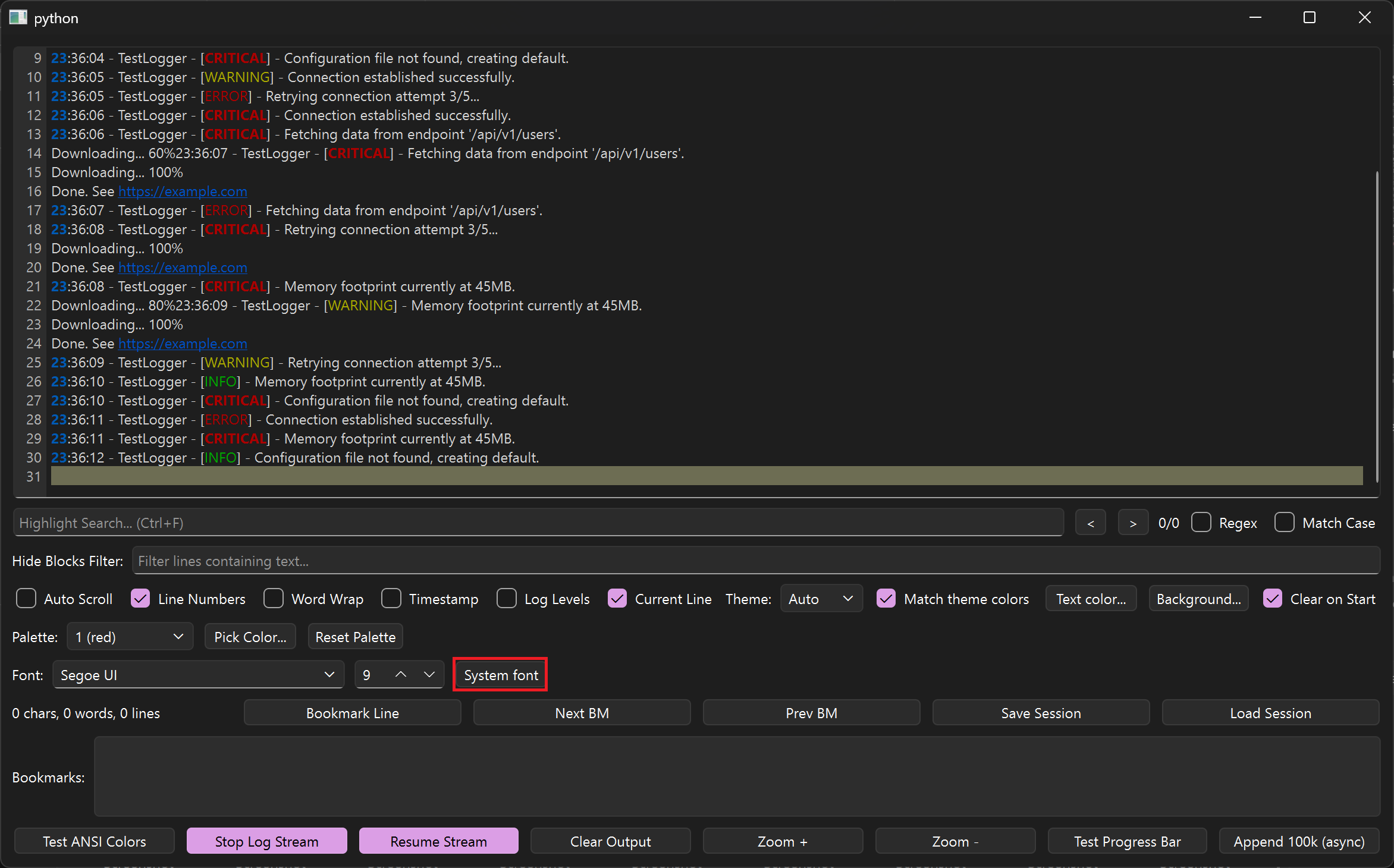
The red box marks System font: the view drops monospace for Segoe UI at
9pt — proportional rendering works, alignment just stops lining up, which
is exactly why monospace is the default. Pick any family and size from the
font row, or go back with setMonospaceFont(). See
Fonts & zoom.
Word wrap: off vs on
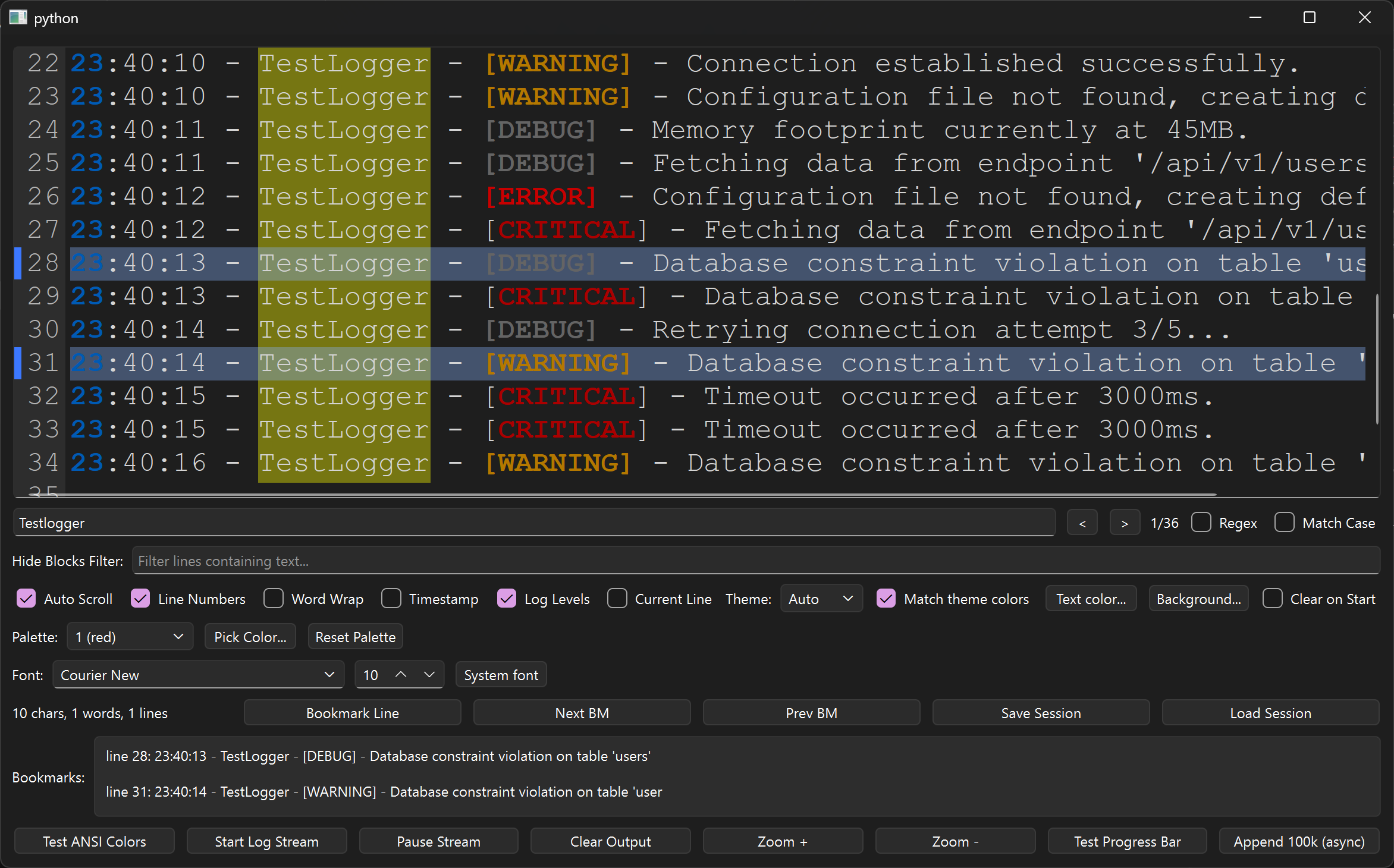
Off — long lines scroll sideways (Word Wrap unchecked):
On — the same lines reflow in place (Word Wrap checked):
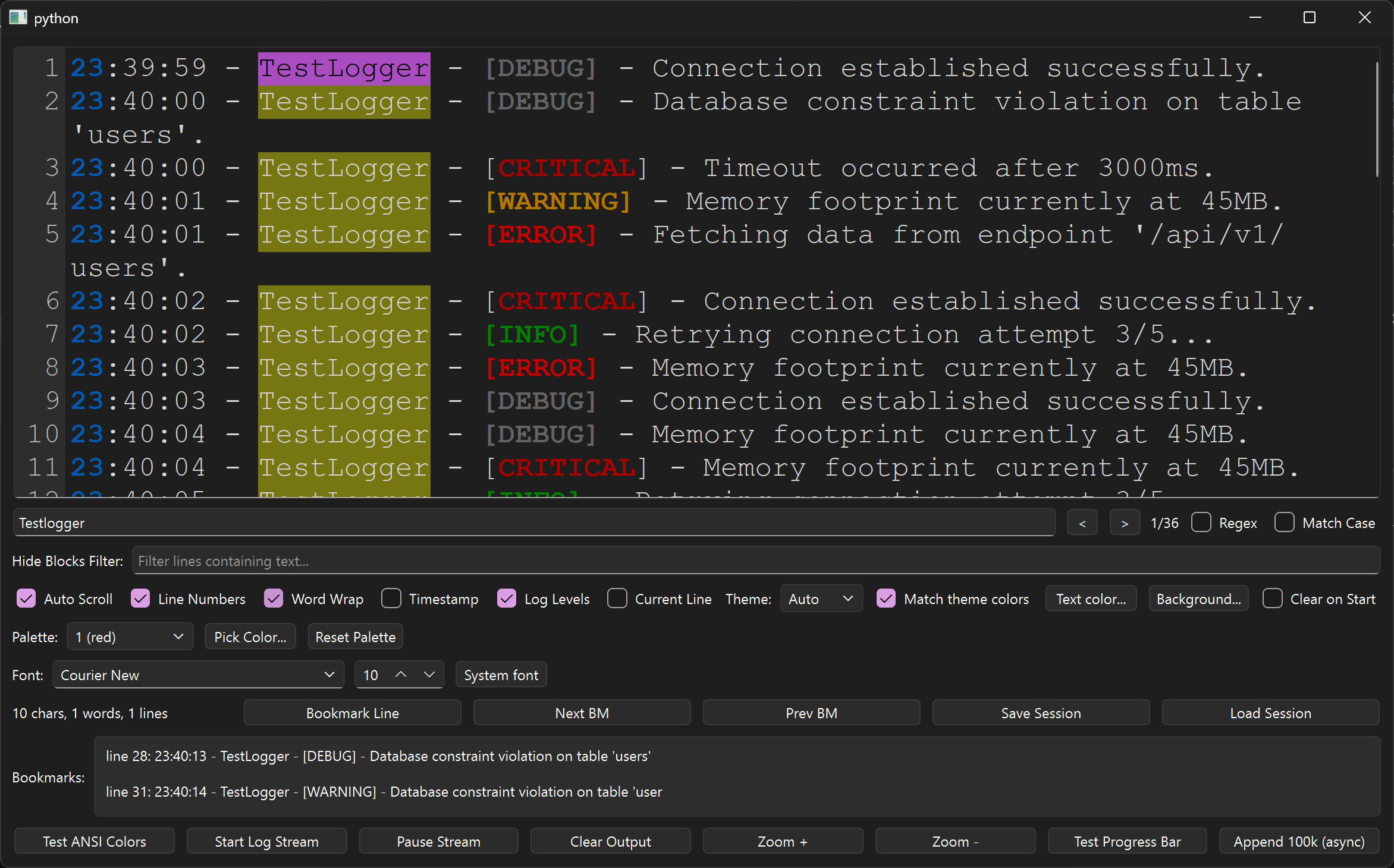
Compare line 2, whose 'users'. tail drops onto a continuation row. See
Layout.